
Description
The Kapro K7 laser distance meter measures distance from the travel time of the laser beam, up to 100 metres indoors. In good conditions the measuring accuracy is ±1.5 mm; over 10 metres, the accuracy is increased by ±0.25 mm for every metre. Rough surfaces and bright sunlight weaken the reflection, so the deviation can grow to ±10 millimetres. Outdoors without a target plate, the measuring distance is 10 metres.
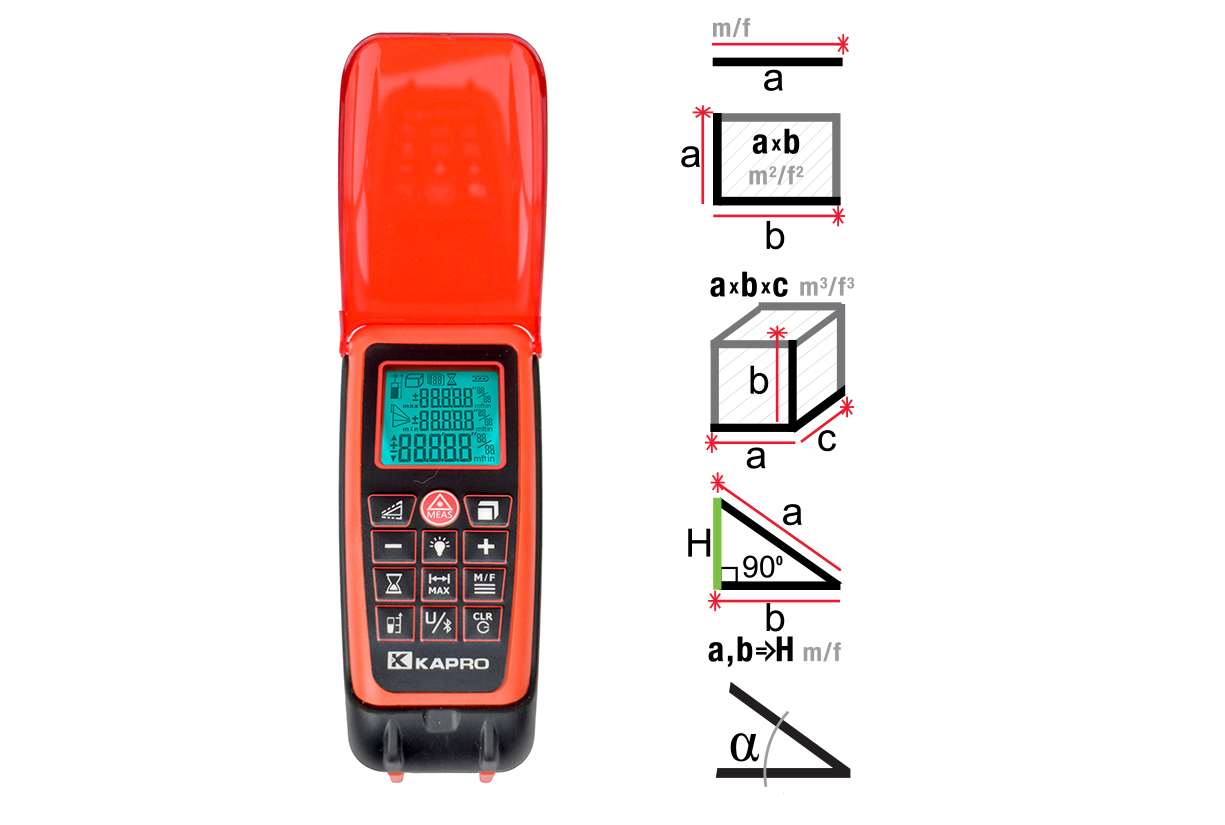
The device has a MEMS tilt sensor, which measures the tilt angle of the device and enables six indirect measuring modes: three triangulation measurements based on Pythagoras’ theorem and three height measurements based on the tilt angle. These calculate the height of or distance to a target with no direct line of measurement. In angle measurement, you can set a zero level, after which the display shows with an arrow whether the point being measured is above or below the set level.
Basic functions include single measurement, continuous measurement with minimum and maximum value tracking, adding and subtracting distances, area and volume calculation and stake-out measurement, in which the device beeps at the set interval, for example for marking studs. There are seven units of measurement, and the measuring reference point is chosen from three options: the back edge of the device, the front edge or the centre of the tripod mount. The memory stores 50 measurement or calculation results.
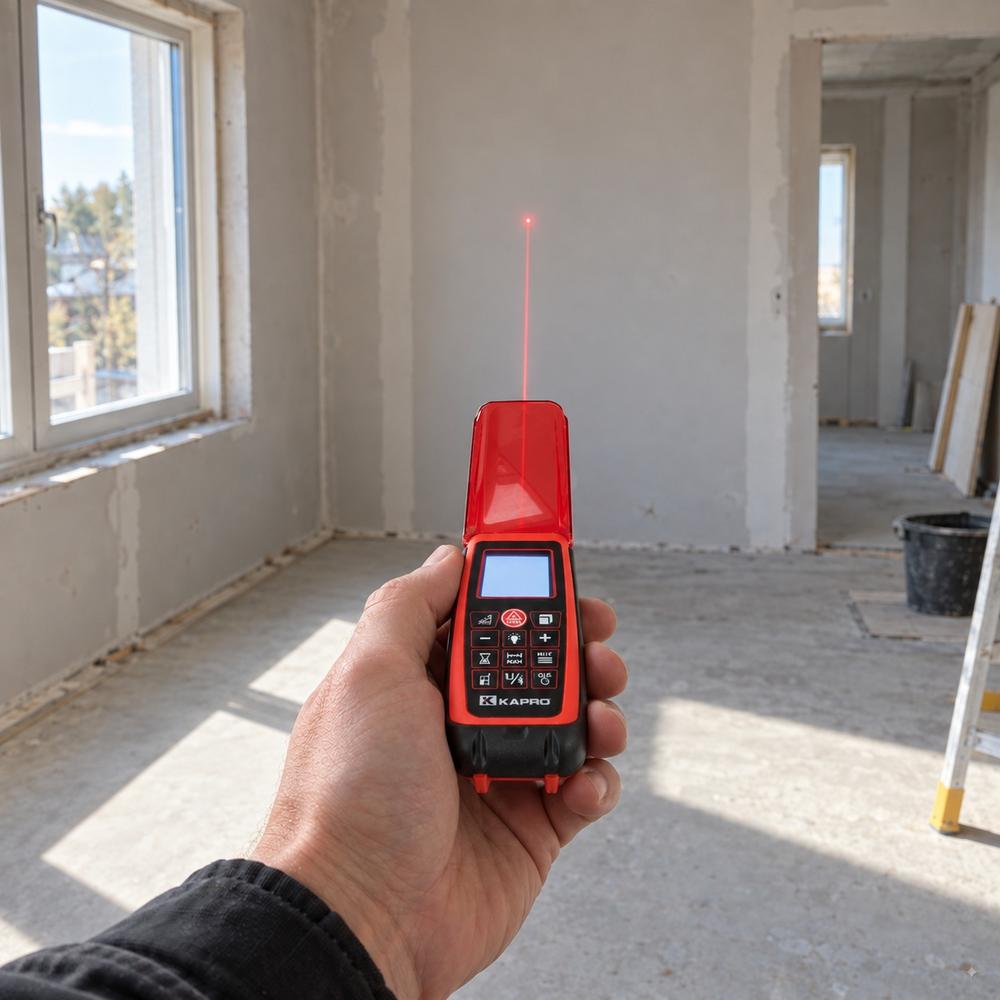
The Bluetooth connection transfers measurement results to the free CAM MEASURE app, where values can be dragged onto arrows drawn on a photo and saved as a dimensioned image. The display has backlighting, and the device’s swivelling red protective cover makes the laser dot more visible and protects the keypad. The tilt sensor is calibrated with a four-step user calibration, and on the back of the body there is a 1/4″-20 UNC tripod thread. The power source is two AAA batteries and the operating temperature range is −5…+45 °C.
Intended use and suitability:
The Kapro K7 laser distance meter replaces the tape measure in measurements where the line of measurement is long, the target is out of reach or you want the result calculated directly as area, volume or height.
- Room measurement and quantity calculation: the area and volume function calculates wall, floor and room quantities directly from measurements for painting, filler and ventilation calculations.
- Heights without a lift: six indirect measuring modes calculate the height of a ceiling, facade or riser from the tilt angle and slant distances.
- Marking studs and battens: stake-out measurement beeps at the set interval, so repeated markings are made without moving a tape measure.
- Furniture and opening dimensions: continuous measurement with minimum and maximum values picks up the shortest or longest distance in a corner in one movement.
- Documentation and quotation calculation: Bluetooth transfers the measurements to the CAM MEASURE app, where the values are attached to a photo taken of the site.
- Checking slopes: the tilt sensor shows the angle in degrees and, using the zero level, the deviation from the chosen reference level.
Package contents:
- Kapro K7 laser distance meter
- Storage pouch
- 2 × AAA battery
- Instructions for use
Features:
- Measuring range 100 m: indoors; outdoors without a target plate 10 m.
- Accuracy ±1.5 mm: in good conditions; over 10 metres add ±0.25 mm/m.
- MEMS tilt sensor: measures the angle and enables indirect height measurements and setting a zero level.
- Six indirect measuring modes: triangulation measurements and tilt-based height measurements with one, two or three measurements.
- Continuous measurement min/max: shows the smallest and largest distance during movement.
- Area and volume: the device asks for the dimensions in order and calculates the result automatically.
- Stake-out measurement: the device gives a beep at the set interval for repeated markings.
- Three reference points: back edge, front edge or centre of the tripod mount.
- Memory for 50 results: the calculation result is saved with its intermediate results.
- Bluetooth and CAM MEASURE: measurements are transferred to the app and attached to a photo of the site.
- Timer 3–15 s: delayed measurement stops the device moving at the moment of triggering.
- Backlit dot-matrix display: readable even in low light.
- Laser pointer mode: the beam stays on for aiming without measuring.
- User calibration: the tilt sensor is calibrated in four steps, and the factory values can be restored.
- Swivelling red protective cover: makes the laser dot more visible and protects the keypad.
Technical specifications:
- Measuring range indoors: 100 m.
- Measuring range outdoors without target plate: 10 m.
- Accuracy: ±1.5 mm in good conditions.
- Additional deviation over 10 m: ±0.25 mm/m.
- Deviation in poor conditions: up to ±10 mm.
- Laser class: 2 (EN 60825-1), red beam.
- Tilt sensor: MEMS.
- Indirect measuring modes: 6 pcs + angle measurement.
- Memory: 50 measurement or calculation results.
- Units of measurement: 7 selectable units.
- Reference points: 3 (back, front, tripod mount).
- Timer: 3–15 s.
- Display: backlit dot-matrix display.
- Data transfer: Bluetooth, CAM MEASURE app (iOS and Android).
- Power source: 2 × AAA battery.
- Operating temperature: −5…+45 °C.
- Tripod thread: 1/4″-20 UNC.
- Warranty: 2 years against defects in materials and workmanship.
Kapro K7 laser distance meter instructions for use:
Getting started: Insert two AAA batteries according to the polarity markings. Switch on the device with the power button; the laser activates and the device is ready to measure. Select the unit of measurement with the unit button and confirm with the reference point button. Select the measuring reference point: the default is the back edge of the device.
Single measurement: Aim the laser dot at the target and press the measure button. The device beeps and shows the result on the bottom line of the display. If no return signal is detected, the device beeps twice: press the measure button again and measure against a lighter or perpendicular surface.
Continuous measurement: Press the measure button briefly to start continuous measurement. Move the device up, down or sideways; the display shows the smallest and largest distance. Stop by pressing the measure button.
Adding and subtracting: Measure the first distance and press the plus or minus button. Take a new measurement and press the same button, and the device adds or subtracts the results. The same works for angles, areas and volumes.
Area and volume: Press the area and volume button once for area and twice for volume. Measure the width, length and, for volume, also the height in the order the display prompts; the device calculates the result, and the individual measurements can be displayed with the reference point button.
Indirect measurement: Scroll to the mode you want with the indirect measurement button: calculating the opposite side of a triangle with one or more slant measurements, or height calculation based on the tilt angle. The flashing side on the display shows which distance is measured next. Measure the parts in order; the device calculates the missing dimension and shows it on the bottom line. Keep the device in the same vertical plane throughout the measurement.
Angle measurement and zero level: Scroll to angle measurement with the indirect measurement button. Tilt the device towards the target and press the measure button; the display shows the angle. The zero level is set by holding down the reference point button and pressing the measure button, after which SET appears on the display. The arrow on the display then shows whether the target is above or below the zero level. The zero level is cleared with the power button.
Stake-out measurement: Set the interval by holding down the plus button; increase the value with the plus button and move the decimal point with the unit button. Save the setting with the reference point button. Start continuous measurement and move along the measuring line; the device gives a beep when the set interval is reached.
Memory: Save a result with the memory button; the display shows the number of the memory slot. Scroll through the saved values by holding down the memory button and moving with the plus and minus buttons. The memory is cleared with the power button and confirmed by pressing it again.
Bluetooth: Install the CAM MEASURE app. Hold down the laser beam and backlight button, and the Bluetooth icon starts to flash. Find the device in the app and connect from the device name; the device beeps and the icon stops flashing. Take a photo of the site, draw arrows and drag the measurement results onto the arrows.
Calibrating the tilt sensor: Place the device on a level surface and switch it off. Hold down the power button and the reference point button at the same time until the display reads 0 CAL. Carry out four steps by pressing the power button in each position: device upright with the display facing the user, the same turned 180°, device horizontal with the display facing up, and the same turned 180°. Each step is confirmed by two beeps and the display text 1–4 CAL, after which the device switches off.
Maintenance: Clean the lenses only with a soft cloth; do not use solvents. Dry the device before storage if it has got wet. Remove the batteries if the device will not be used for a long time, so that a leaking battery does not corrode the device.
Warnings:
- Laser class 2 (EN 60825-1): do not look into the beam or point it at people or animals; the laser beam can cause temporary or permanent eye damage.
- Do not look into the beam through magnifying optical instruments such as binoculars or a telescope.
- The red protective cover makes the laser dot more visible but does not protect the eyes from laser radiation.
- Do not use the device near children or let children use it.
- Do not dismantle the device or remove or deface the warning labels.
- Do not use the device in an explosive atmosphere with flammable gases, liquids or dust.
- Do not drop the device or clean it with solvents.
- Only use the device within the temperature range −5…+45 °C.
- Do not short-circuit the batteries, do not charge alkaline batteries, do not mix new and old batteries and do not dispose of batteries by burning or with household waste.
- Keep the batteries out of reach of children.
- The solder contains lead; parts of the device contain substances that the State of California’s Proposition 65 list associates with cancer and reproductive harm.
Frequently asked questions (FAQ):
How far does the Kapro K7 laser distance meter measure? Indoors up to 100 metres. Outdoors without a target plate, the measuring distance is 10 metres, because daylight weakens the return signal.
How accurate is the measurement? In good conditions ±1.5 mm. Over 10 metres, ±0.25 mm is added for every metre, and on a rough surface or in bright light the deviation can be up to ±10 mm.
How is height measured when there is no direct line of measurement? With the indirect measuring modes: the device calculates the height either from two or three slant distances or from the tilt angle and one slant distance.
What does stake-out measurement mean? An interval is set in the device, after which the device gives a beep in continuous measurement every time the interval is reached. The function speeds up marking batten spacings, for example.
Which app are the measurements transferred to via Bluetooth? To the free CAM MEASURE app, available for iOS and Android devices. In the app, the measurements are attached to a photo taken of the site.
From which point does the device measure? There are three reference points: the back edge of the device, the front edge or the centre of the tripod mount. The default is the back edge.
What should I do if the device does not show a reading? The most common reasons are exceeding the measuring range, too weak a reflection from a dark or angled surface, too bright ambient light, exceeding the temperature range and flat batteries. Change the target surface, shade the target, move into the temperature range or change the batteries.
Can I calibrate the tilt sensor myself? Yes. Calibration is done in four steps on a level surface, and the factory values can be restored with a separate key combination.
Recycling instructions:
Sort the packaging cardboard into carton collection and the packaging plastic into plastic collection. Batteries are hazardous waste: remove them from the device and take them to a battery collection point, not to mixed waste or for burning. A laser distance meter that is no longer used is waste electrical and electronic equipment (WEEE), which is taken to a municipal WEEE collection point or a shop that sells such equipment. Sort the storage pouch by material into textile or plastic collection.